


BeautyPlus-Selfie Photo Editor
4.631.35K Reviews
App Specs
- Version
- 7.42.0
- Updated On
- License
- Free
- Downloads
- 500,000,000+
- Developer
- PIXOCIAL TECHNOLOGY (SINGAPORE) PTE. LTD.
- Categories
- Photography
- Platform
- Android, iOS
Screenshots
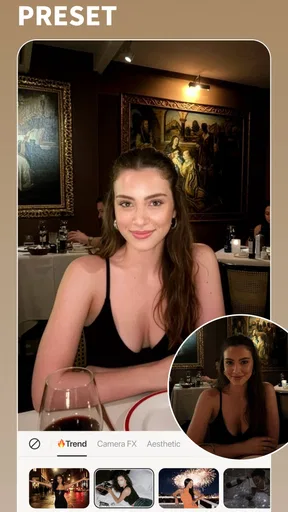
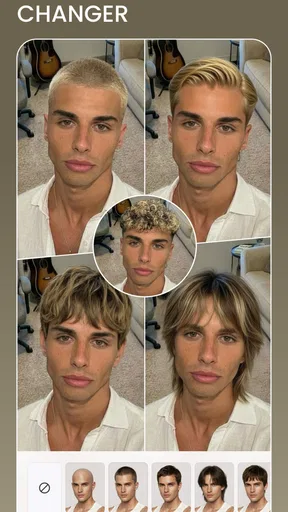
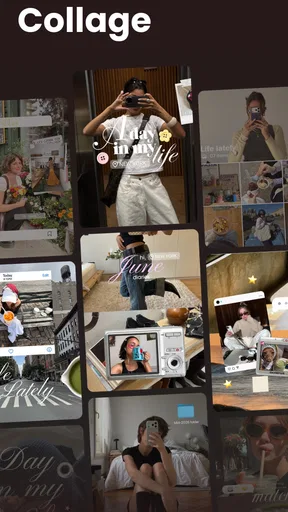
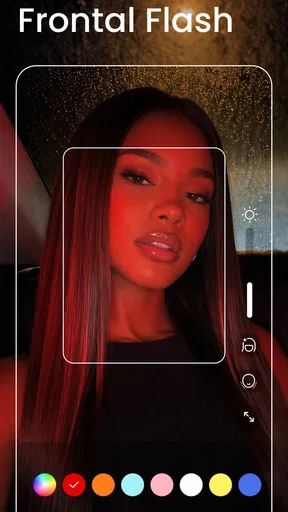
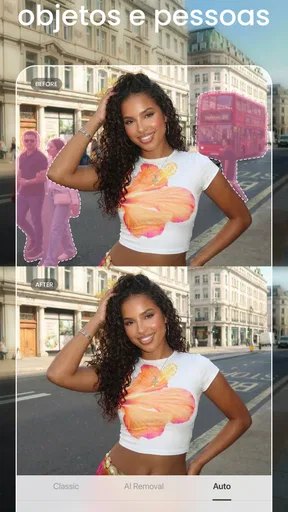
 Analysis by AppCompare
I find a selfie editor most useful when it helps me make a picture feel finished without turning the process into a project. BeautyPlus is built around that quick portrait-editing habit: I can start with a small correction, try a more playful look, or spend longer shaping the result by hand. Its strongest appeal is convenience, though that convenience also makes it worth slowing down before accepting every automatic change.
Making the controls easier to read
The first decision is usually simple: do I want a quick adjustment or a more deliberate edit? BeautyPlus presents itself as a photography app for that kind of work, and its approachable layout suits people who would rather experiment than learn a complicated editing workflow. I’d still recommend taking a moment to inspect each result. A clear interface can make a tool easy to reach, but it cannot decide whether an edit looks natural for your particular photo.
That distinction matters if you are new to editing. A one-tap treatment gives you a starting point, not necessarily a final image. I like to compare the edited version with the original before sharing, especially when the photo will be used as a profile picture or sent to someone who knows me well. The original can help me catch changes that feel stronger than I intended.
Comfort, pace, and control
For someone who finds small, repeated adjustments tiring, an automatic starting point can reduce the amount of fiddly work. On the other hand, people who prefer precise control may find broad beauty effects less satisfying than a dedicated editor focused on individual image adjustments. I would use the quick route when speed matters and move to manual tools only when I know what I want to change.
Photo editing also involves visual choices, not just navigation. Strong smoothing or reshaping can make facial details look less like the person in the original image, and bright effects may be uncomfortable for some viewers. I’d keep effects restrained when the image needs to remain recognizable, and I would avoid judging a finished edit only on a bright phone screen. Looking at it again later, or on another screen, can reveal that an adjustment is too heavy.
When a selfie editor fits the moment
A practical use is getting a quick portrait ready before a video-call profile update, a family chat, or a social post. I can make a small correction, review the crop, and save time compared with opening a more involved desktop editor. For a group picture, though, I’d be cautious about applying a face-focused effect uniformly: people may want different levels of editing, and a single treatment can make one person look noticeably more altered than another.
There is also a useful difference between editing for fun and editing for a record. Stickers and virtual makeup can make a casual post more expressive, while a document, work profile, or important family photograph often benefits from a lighter hand. I would keep an untouched copy of any image that matters to me, then edit a separate version. That simple habit gives me room to experiment without losing the photo I started with.
Worth Reading Before You Choose

Flipboard Shows What News Apps Must Do Beyond the Feed

Switching to Android Auto Means Rethinking Your Driving Routine

Google Calendar Makes a Crowded Week Easier to Manage

Ludo King Makes the Most of the Minutes Between Plans

Baby Panda World Brings Quick Play to Modern Phones, but Its Game Library Feels Busy

ESPN’s Live Game View Makes Following Close Games Easier
Who will appreciate it—and who may not
BeautyPlus is most appealing if selfies are a regular part of your camera roll and you want portrait-focused tools without beginning in a highly technical editor. It can also suit someone who enjoys trying different looks and wants to move between fast adjustments and more playful edits. If your main goal is detailed landscape work, color grading across a large photo collection, or a natural edit with fine control over every adjustment, a general-purpose photo editor may be a better fit.
I would also think about how much editing I actually want to do. A large range of effects can encourage experimentation, but it can make choosing a final look take longer than expected. Rather than scrolling through every option, I’d pick one goal first—such as a cleaner crop or a softer portrait—and stop once the image meets it. That keeps the result more consistent and avoids stacking effects simply because they are available.
How it sits among photo-editing alternatives
Compared with a phone’s built-in photo editor, BeautyPlus is more specifically oriented toward selfies and appearance-focused changes. The built-in editor is often the simpler choice for a quick crop, rotation, or general correction, while a portrait app is more inviting when I want to adjust the look of a face or try a stylized treatment. A full desktop editor offers a different kind of control, but it asks for more time and a less casual workflow.
That makes the choice less about which app is universally best and more about the image in front of me. For a spontaneous selfie, a focused mobile tool can be convenient. For a photo that needs careful color consistency or extensive retouching, I would consider a more general editor and check the finished image at full size. BeautyPlus makes most sense when its portrait emphasis is the reason I opened an editor in the first place.
First Impressions and Getting Started
Downloading and setting up BeautyPlus - Selfie Photo Editor was a breeze. The app is available on both Android and iOS, so whether you're team Android or an iPhone enthusiast, you’re covered. The interface is super intuitive, with a clean design that doesn’t overwhelm you with too many options right off the bat. It’s like walking into a well-organized makeup store—everything you need is right at your fingertips.
Features That Shine
Once you start exploring, you'll find a treasure trove of features. From basic tweaks to full-on photo transformations, BeautyPlus has it all. Let’s dive into some of the key features:
- Beauty Filters: These are perfect for those days when you need a quick touch-up. The filters range from subtle enhancements to dramatic overhauls, ensuring your selfie game is always on point.
- Auto-Beautification: This is a lifesaver when you’re in a rush. One tap, and voilà! Your skin looks smoother, your eyes pop, and your smile shines brighter.
- AR Stickers: Feeling playful? Add some AR stickers to your photos. Whether you’re channeling your inner cat with cute ears or going full-on unicorn, it’s a fun way to jazz up your selfies.
- Background Blur: Ever wanted that professional portrait look? The background blur feature gives your photos that dreamy, DSLR-quality depth.
Editing Like a Pro
One of the things I love about BeautyPlus is how it empowers you to edit like a pro—even if you’re just starting out. The app offers a variety of tools like cropping, resizing, and even some advanced features like acne removal and eye enlarger. Plus, the easy-to-use interface makes these tools accessible to everyone, regardless of your editing experience.
"It’s like having Photoshop in your pocket, but without the steep learning curve."
A Few Tips and Tricks
Here’s a pro tip: experiment with the manual edit tools. While the auto features are great, playing around with manual adjustments can give your photos a unique touch that stands out. Also, don’t shy away from the makeup options. The virtual makeup tool lets you try different looks without the mess. From bold lip colors to dramatic eye shadows, it's all there!
Sharing Your Masterpieces
After perfecting your photos, sharing them is a snap. BeautyPlus makes it easy to post directly to social media platforms like Instagram, Facebook, and Snapchat. The app even optimizes your image quality for each platform, ensuring your edits look stunning wherever you share them.
Details that matter before you install
BeautyPlus is a free photography app developed by PIXOCIAL TECHNOLOGY (SINGAPORE) PTE. LTD. Its broad audience is reflected in an Everyone content rating, and the app has been available since July 14, 2013. The current version is 7.31.0, with Android 8.0 as the minimum operating system requirement. That gives Android users a practical compatibility check to make before downloading; on iOS, I’d check the device’s store page for its own requirements.
The app has a 4.6 average from around 5.1 million ratings, alongside roughly 32,000 written reviews and over 100 million installs. Those figures suggest it has become a familiar option for selfie editing, but popularity does not tell me whether its style will suit you. I’d treat the first session as a trial: see whether the controls and the strength of the effects match the way you like your portraits to look.
There are in-app purchases, with individual items ranging from about ten cents to nearly a hundred dollars. Since the app is free to start, I would explore the basic editing flow before considering any purchase and read the current purchase screen carefully. If you prefer an editor with no optional spending decisions, that distinction may affect your choice even if you only need simple edits.
A realistic editing routine
Imagine taking a quick selfie by a window before heading out. The light is decent, but a small blemish catches your eye and the framing includes more background than you want. I’d begin with a crop, try a modest automatic enhancement, then check whether the skin still has its natural texture. If the effect makes the image feel unlike me, I’d reduce or undo it rather than adding another filter to compensate.
For a more considered portrait, I’d separate the steps: frame the image first, make any targeted correction next, and only then decide whether makeup, a filter, or blur adds anything. This order helps me see what each change contributes. It is also easier to back out of an individual choice than to untangle a stack of effects after the image has drifted away from the original.
When editing for a social profile, I’d inspect the image at the size people are likely to see it, not just zoomed in while editing. A tiny adjustment can look convincing close up but too strong in a thumbnail. For a keepsake or a photo meant to represent someone accurately, I’d keep the retouching minimal and preserve the untouched version separately.
Accessibility in everyday use
Ease of use is not the same as accessibility for every person. A visual editor depends on seeing the preview and distinguishing small changes, so someone with low vision may need to use device-level display settings and test whether the app remains comfortable to navigate. I would not assume every control or effect is equally clear at every display size. A quick hands-on check before spending time on an edit is sensible.
People with limited dexterity may appreciate starting with an automatic treatment rather than making many fine adjustments, but detailed retouching can still demand repeated taps and careful positioning. If that becomes tiring, I’d use only the tools that solve the main problem and avoid polishing tiny details. For sensory comfort, I’d also skip visual effects that feel busy or intense and keep the preview focused on the photo itself.
There are situations where the best choice is not to edit at all. If someone needs a reliable record of an event, a neutral image may be more appropriate than a beautified portrait. Likewise, if a photo includes other people, I would be considerate about changing their appearance or sharing an edited version. The app can make alterations easy; deciding whether they are welcome remains a personal responsibility.
Where I would draw the line
BeautyPlus is not my first pick for every kind of photography. Its appeal is clearest when I want to work on a selfie, while broader image tasks can be more comfortable in a general editor designed around crops, exposure, color, and a wider mix of subjects. If I need a repeatable look across many photos, I’d favor a workflow built for consistency rather than editing each face individually.
The main trade-off is the balance between speed and authenticity. Automatic beautification saves effort, but it can make a portrait feel generic if I accept the first result without checking it. Manual editing gives me more say, yet takes attention and can become a time sink. I get the best outcome by deciding in advance whether I want a light correction or a playful transformation, then stopping when that intention is met.
Another small but useful habit is to compare the final image with the original before sharing. That makes it easier to notice softened details, altered proportions, or a background effect that does not suit the scene. If the result looks good only because I have been staring at it through several rounds of editing, a short pause can help me judge it more fairly.
Final Thoughts
So, is BeautyPlus worth a download? Absolutely! Whether you’re a selfie enthusiast or just looking to spruce up your photo collection, this app is packed with features that make photo editing easy and fun. With its user-friendly interface and powerful editing tools, it’s no wonder BeautyPlus is a favorite among selfie lovers.
Why not give it a shot? You might just find yourself hooked on the magic of photo editing. Happy snapping!
My recommendation is strongest for someone who regularly edits portraits on a phone and enjoys choosing between quick enhancement and hands-on tweaks. If you value understated results, make a habit of checking the before-and-after view and undoing anything that changes more than you intended. If your priority is precise all-purpose editing, accessibility needs that depend on specific controls, or a strict preference against optional purchases, compare alternatives before settling in.
For me, the inclusive verdict is practical rather than absolute: the simple entry point can help many people get started, but individual comfort depends on vision, dexterity, sensory preferences, and the kind of photo being edited. I’d download it for casual selfie work, keep the original images, and let personal taste—not the number of available effects—decide when the edit is finished.
Pros
- Intuitive interface for quick editing.
- Wide range of filters and effects.
- High-quality retouching tools.
- Frequent updates with new features.
- Easy sharing to social media platforms.
Cons
- Contains in-app purchases.
- Some features require a subscription.
- Occasional ads can be intrusive.
- Editing can be overly automated.
- Large app size may affect storage.
FAQs for BeautyPlus-Selfie Photo Editor
What features does BeautyPlus offer for editing selfies?
BeautyPlus provides a comprehensive range of editing features, including skin smoothing, blemish removal, and teeth whitening. It also offers various filters, effects, and tools to enhance facial features, such as eye enlargement and face slimming. Additionally, users can add makeup, adjust lighting, and apply creative stickers to their photos.
Is BeautyPlus free to use, or does it require a subscription?
BeautyPlus is available for free with basic features, but it also offers a premium subscription called BeautyPlus Premium. The subscription provides access to advanced tools and exclusive filters, ad removal, and additional features not available in the free version. Users can choose between monthly, yearly, or lifetime subscription plans.
How user-friendly is the BeautyPlus interface for beginners?
The BeautyPlus interface is designed to be intuitive and user-friendly, making it accessible for beginners. The app provides easy navigation with clearly labeled tools and features. Each editing option includes a brief tutorial or guide, helping new users understand how to apply effects and make adjustments effortlessly.
Does BeautyPlus support high-resolution image saving?
Yes, BeautyPlus supports saving images in high resolution. Users can edit and save their photos without losing quality, ensuring that the final images are clear and sharp. This feature is particularly useful for users who want to print their edited photos or share them on platforms where image quality is crucial.
What privacy measures does BeautyPlus implement for user data?
BeautyPlus takes user privacy seriously, implementing measures to protect personal data. The app requires permissions for accessing the camera and photos but ensures that no personal information is stored without consent. Users are encouraged to review the privacy policy for detailed information on data handling and security practices.


